
The must-have app for tax-free shopping in Japan
Refund steps on many sites,
now all in OneRefund
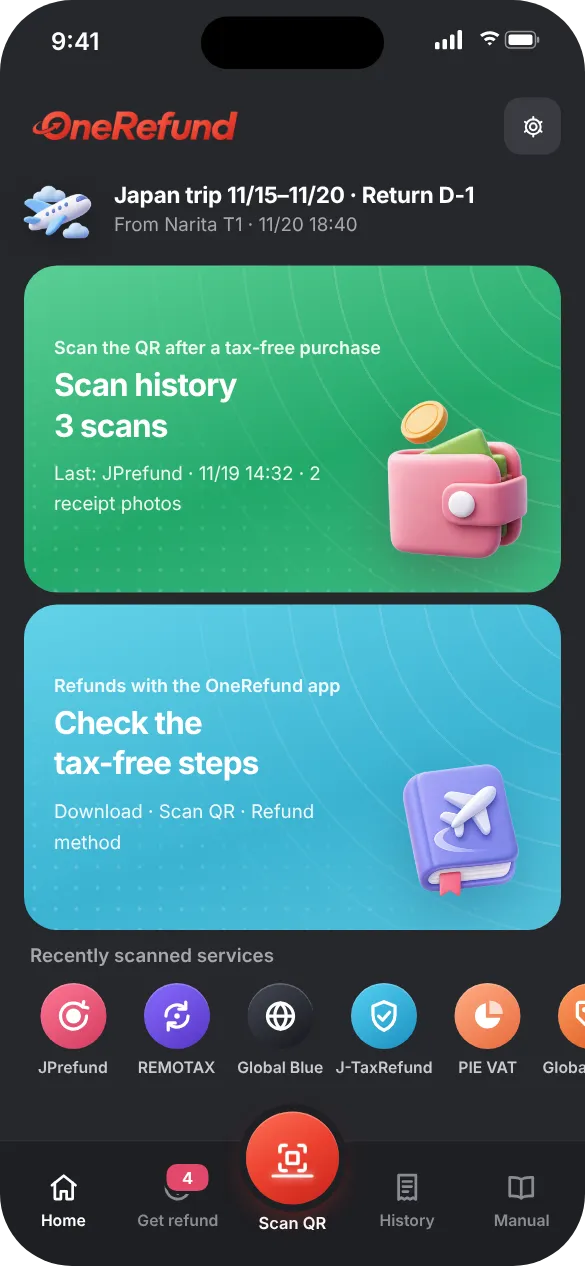
Open each shop’s refund service inside OneRefund and complete the steps right there


- No OneRefund account needed
- No personal data collected
- 12 languages
For purchases made on or after November 1, 2026, Japan's tax-free system has moved to the "refund method": you get the consumption tax back after Customs confirms at departure that you are taking the goods out of Japan.
What you can do with OneRefund
-
01
All refund services
in one appEach tax-free shop uses a different refund service — open them all inside OneRefund.
Sign up, log in and choose how you want to be refunded.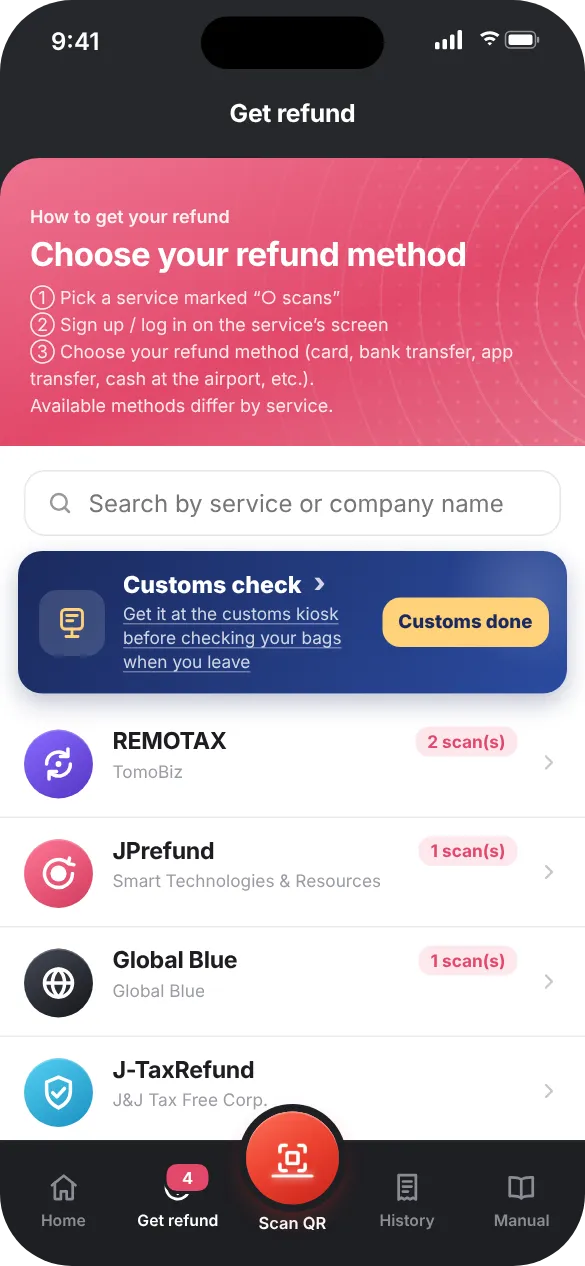
-
02
After you buy,
scan the QR with the big buttonWhen you bought and which refund service you used
is saved to your scan history automatically.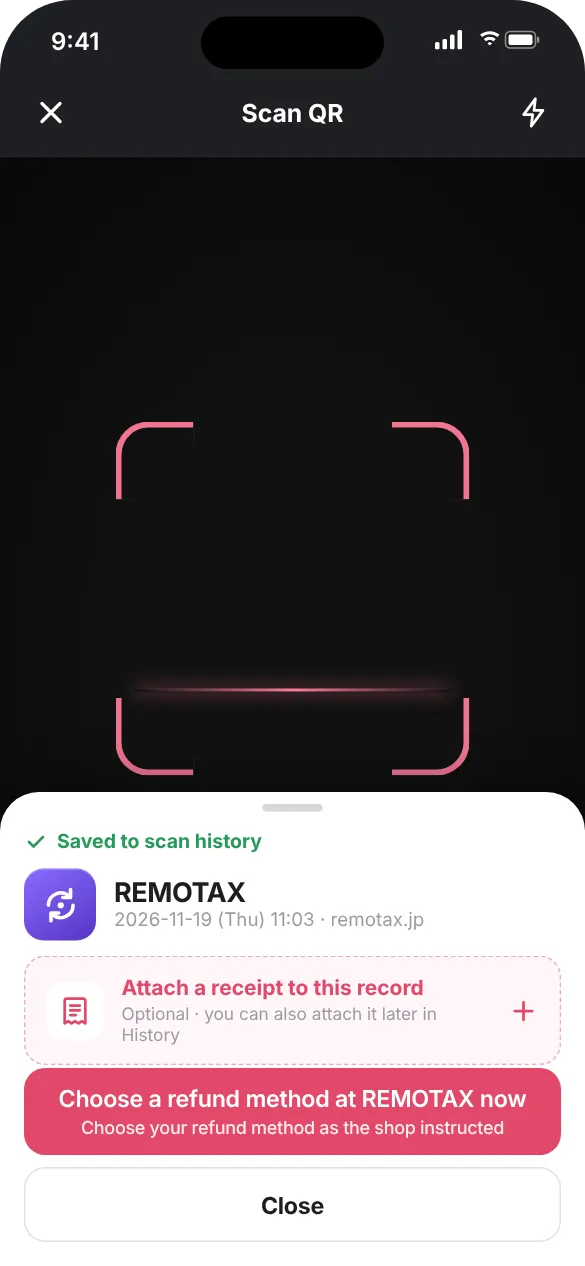
-
03
Attach a receipt
to each recordKeep a receipt photo and the shop name
so you can compare them with the actual refund.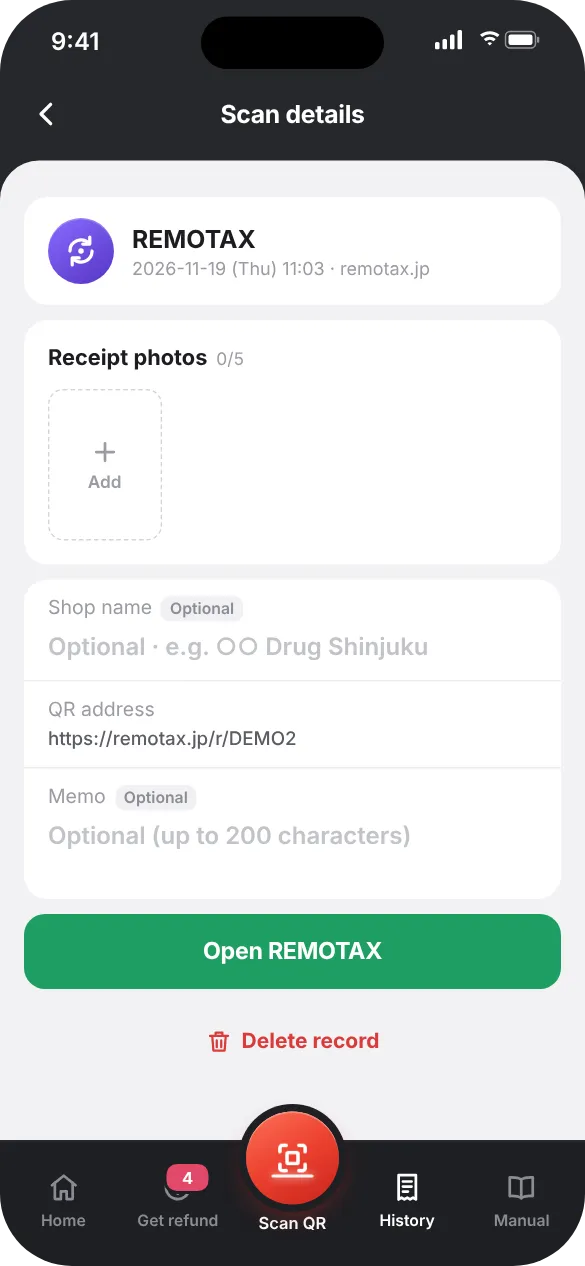
-
04
On departure day,
check the customs manualGet the customs check before you check in your bags.
Then make sure you have chosen a refund method.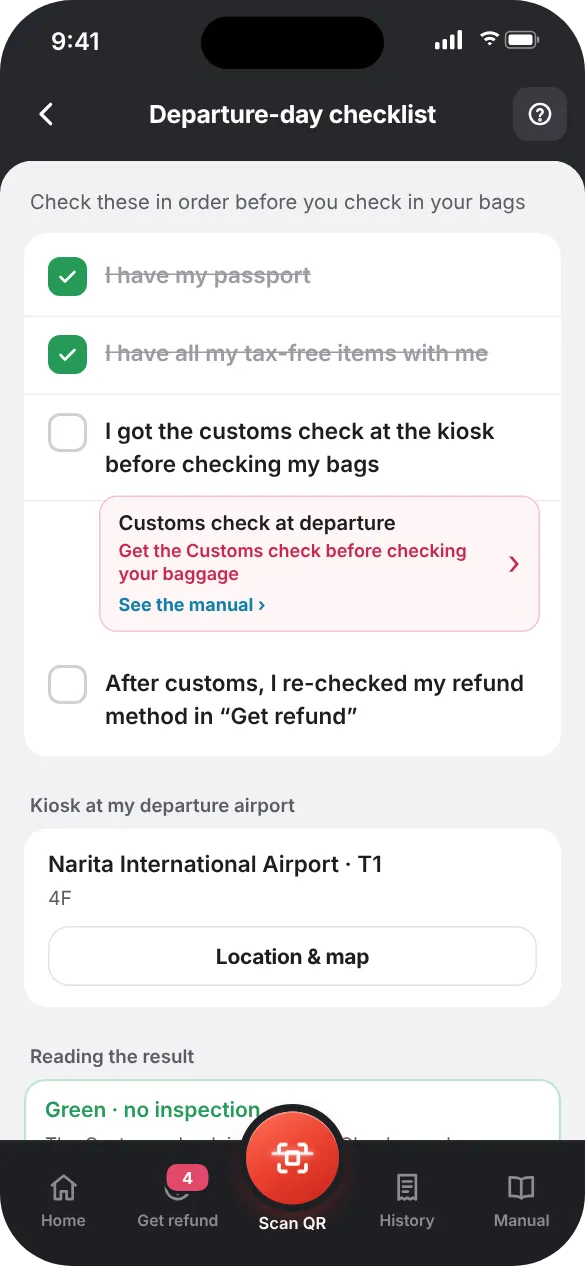
Get your refund with the OneRefund app
With the OneRefund app you can handle everything from scanning QR codes and choosing a refund method to what to check at departure.
Download the app
Download the OneRefund app from the App Store or Google Play.
Scan the shop's QR code
After buying at a tax-free shop, scan the refund QR code the shop shows you with the "Scan QR" button at the bottom center of the app.
Check your scan history
In the "Scan history" menu you can see when and with which refund service you scanned.
Choose your refund method
In the "Get refund" menu, open a refund service in your scan history, sign up and log in, then choose your refund method.
Re-check your refund method after Customs
After completing the check at the Customs kiosk when leaving Japan, check once more in the "Get refund" menu that you have chosen a refund method.
How to Get a Tax-Free Refund in Japan: Procedure & Application Guide
For purchases made on or after November 1, 2026, Japan's tax-free system has moved to the "refund method": you get the consumption tax back after Customs confirms at departure that you are taking the goods out of Japan.
Key conditions
- 90 daysCustoms check when you leave Japan within 90 days of purchase
- ¥5,000+¥5,000 or more (excl. tax) per store per day
- Before check-inGet the Customs check before checking your baggage
- Per receiptIf any item is missing, the whole receipt is excluded
Quick guide to your tax refund

1. Passport & tax-inclusive payment
When you buy at a tax-free shop, show your passport and pay the price including tax.
2. Choose your refund method
Choose your refund method as the shop instructs (e.g. via a QR code). How you choose differs by the refund service the shop uses.
3. Customs check at departure
When leaving Japan, get the Customs check at the airport or seaport before checking your baggage. Scan your passport at the kiosk and follow the on-screen instructions.
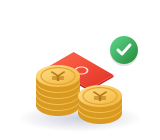
4. Complete the refund
After the Customs check, make sure you have completed the refund procedure as you were instructed when buying. If you have not chosen a refund method yet, be sure to choose one.
How the Customs check works
- 1
Go to the kiosk
Before checking your baggage, go to the tax-free procedure kiosk in the international departure lobby or similar area. Bring all your tax-free items.
- 2
Scan your passport
Have your own passport read at the kiosk. The result appears in a few seconds.
- 3
Check the result
Green · no inspectionThe Customs check is complete. Check your baggage and proceed to check-in.
Red · inspection neededGo to the nearby Customs inspection area and show your tax-free items to an officer. If you stop midway, the check counts as not received.
- 4
Refund
After the Customs check, the shop (or refund service provider) refunds you by the method you were told about when buying.
Easy-to-miss points
- You must have all your tax-free items with you when you use the kiosk, so you cannot do the procedure after checking your baggage. Checked baggage cannot be retrieved for the tax-free procedure.
- Arrive with plenty of time. You must complete the Customs check (including any inspection) before check-in for your flight; if you miss your departure, there is no compensation from the airline or Customs.
- The Customs check is done per purchase (receipt etc.). If even one item from that purchase is missing, none of the items on that receipt can be confirmed (refunded).
- Quantity: You can only buy a quantity that you can carry out of Japan yourself when you depart.
- Separate shipping abolished: Sending purchases abroad yourself by post etc. (separate shipment) was abolished on March 31, 2025.
- Goods that received the Customs check must be taken out of Japan without delay. Otherwise, the exempted consumption tax amount will be collected and penalties may apply.
- Gold and platinum bullion etc. and items exempt from consumption tax are not eligible.
Frequently asked questions
At tax-free shops you now pay the price including consumption tax. When you leave Japan, after Customs at the airport or seaport confirms that you are taking the goods out of the country, you get back the amount equivalent to the consumption tax. This is called the "refund method".
When you buy at a tax-free shop, show your passport and pay the price including tax.
Choose your refund method as the shop instructs (e.g. via a QR code). How you choose differs by the refund service the shop uses.
When leaving Japan, get the Customs check at the airport or seaport before checking your baggage. Scan your passport at the kiosk and follow the on-screen instructions.
After the Customs check, make sure you have completed the refund procedure as you were instructed when buying. If you have not chosen a refund method yet, be sure to choose one.
You pay the price including tax. The shop will explain how to register for the refund when you buy.
Register your refund method as instructed. For details, contact the shop or the refund service provider you were referred to.
90-day limit: You must receive the Customs check when leaving Japan within 90 days of the purchase date.
Minimum amount: Purchases of ¥5,000 or more (excluding tax) per store per day are eligible.
When leaving Japan within 90 days of purchase, show your passport yourself at the tax-free procedure kiosk (kiosk or electronic terminal) at the airport or seaport to receive the Customs check.
You must have all your tax-free items with you when you use the kiosk, so you cannot do the procedure after checking your baggage. Checked baggage cannot be retrieved for the tax-free procedure.
Customs confirms that you are taking the goods out of Japan. The amount equivalent to the consumption tax is refunded by the tax-free shop after it checks the Customs confirmation. Shops may outsource refunds to another company; in that case you will be told about the refund service provider when you buy.
Examples of refund methods: bank transfer, credit card, app transfer, or cash at the departure airport/seaport — methods differ by shop.
At Narita, Haneda, Kansai, Chubu, Fukuoka, New Chitose and Naha airports, you can do the procedure online with Visit Japan Web instead of the kiosk. Connect to the dedicated Wi-Fi in the international departure lobby (before the security checkpoint).
Only people with "Temporary Visitor", "Diplomat" or "Official" status of residence can use it; Japanese nationals cannot. The screens are in English only. If the online procedure does not work, use the kiosk.
Consumables: If you consume consumables such as food or cosmetics in Japan, you cannot receive the Customs check (refund).
If you no longer have all or part of your tax-free goods because you ate or used them before departure, do not use the kiosk — tell a Customs officer (counter).
Open each shop's refund service screen inside OneRefund.
The time and refund service of each QR you scan are recorded automatically.
OneRefund does not pay refunds or receive them on your behalf. It also does not store your refund service ID or password.

Refund steps on many sites,
now all in OneRefund
Open each shop’s refund service inside OneRefund and complete the steps right there